How AI Agents Rebuilt and Migrated a Client's Website (in 2 Days)
A website rebuild is a project you’d usually give an agency several weeks to finish. My team of AI agents just rebuilt one for a client over 12 hours - with only 90 minutes of my own time. To be clear, this is a redesign, rebuild, migration, etc. - not a prompt to “create me a website”.
This was the 1st real client project for an AI-operated marketing agency service we’re considering launching. In short, we think this model could provide website builds, SEO, content marketing, advertising, and more for clients in an entirely AI-operated way. This model should allow us to provide really high-quality and lightning-fast work at a small fraction of the cost of any other agency.
I’m not sure we’re going to launch, but here’s how wild this project was…
The New Website
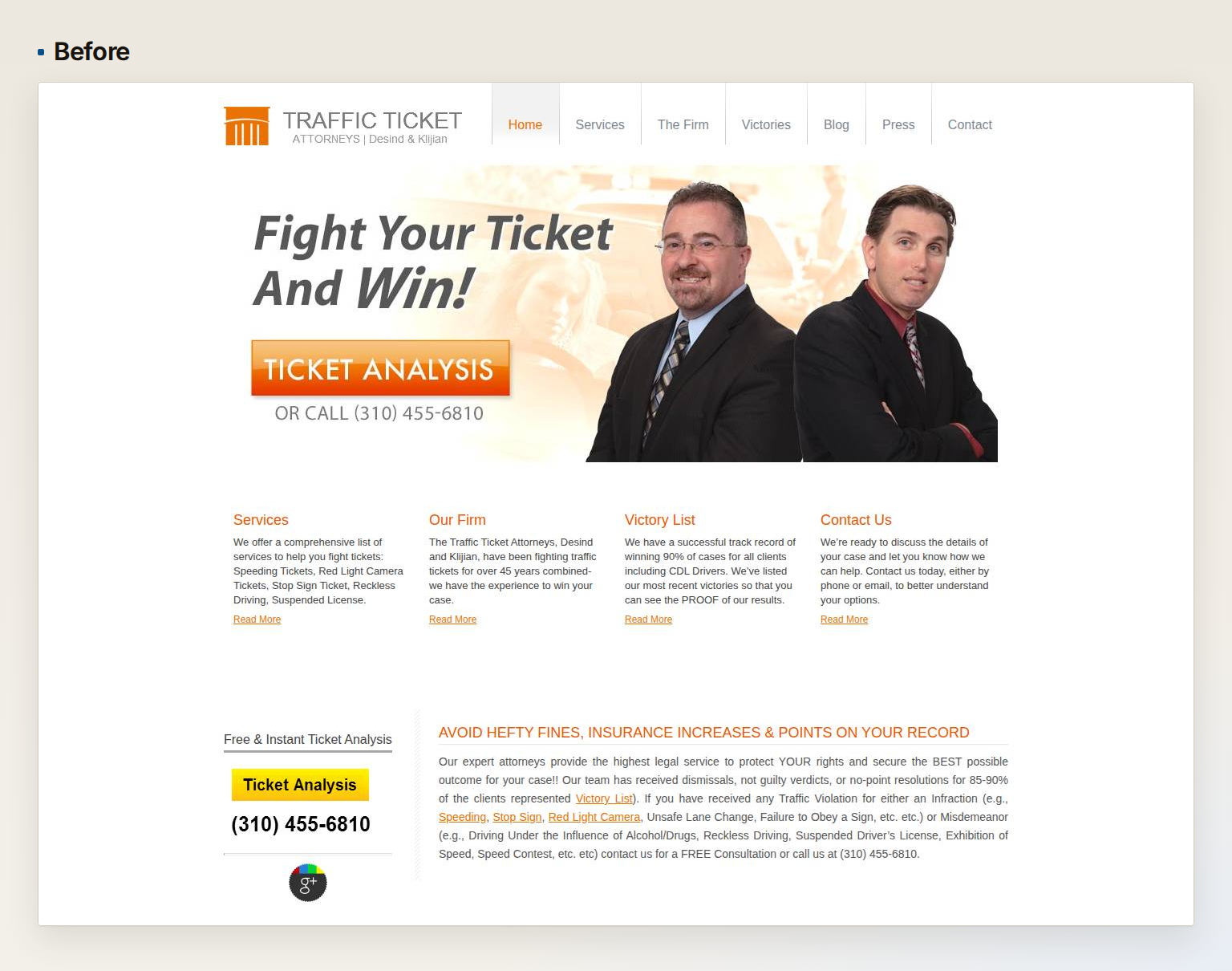
The law firm’s old site was about 15 years old and was in major need of a refresh. Not just aesthetically, but there were some issues to resolve too:
- The headline and the buttons were images, and so was the phone number. A visitor on a phone couldn’t tap the number to call.
- The layout was fixed, meaning it didn’t adjust to the screen size, mobile phones, etc.
- The text was small and the imagery was pretty low quality.
- The page didn’t showcase the credibility and experience of the firm.
All of these can be resolved, but would typically require a large website redesign budget. But in this case, we got it done fast (for free, since it was a test).
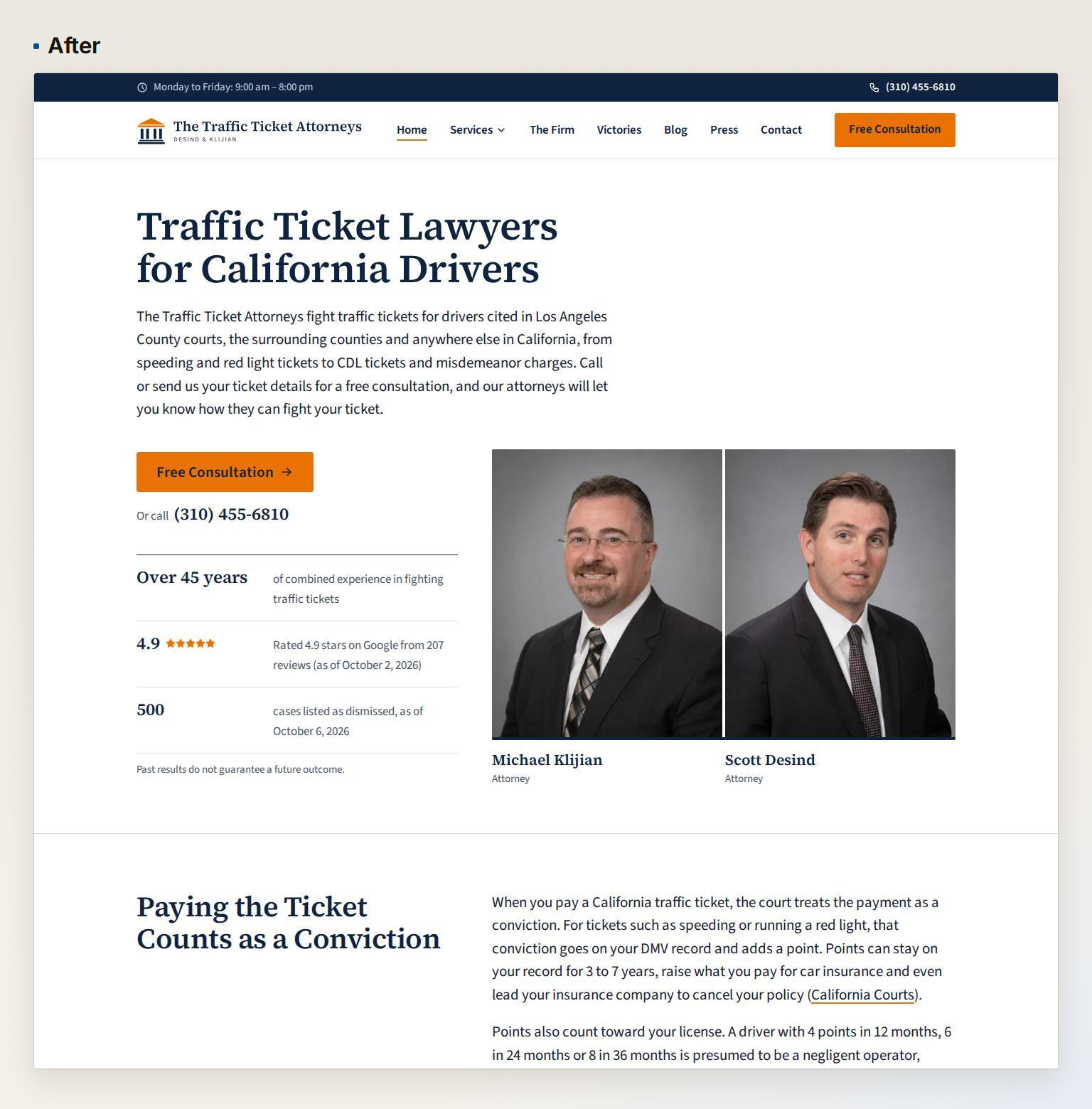
The new site is a huge improvement over the prior site:
- It’s responsive, so it adjusts to the size of the screen.
- The home page has a text headline that search engines will love.
- Every page has a click-to-call phone number and CTA button.
- The site is also really well optimized for search engines, with structured data, internal links, and more.
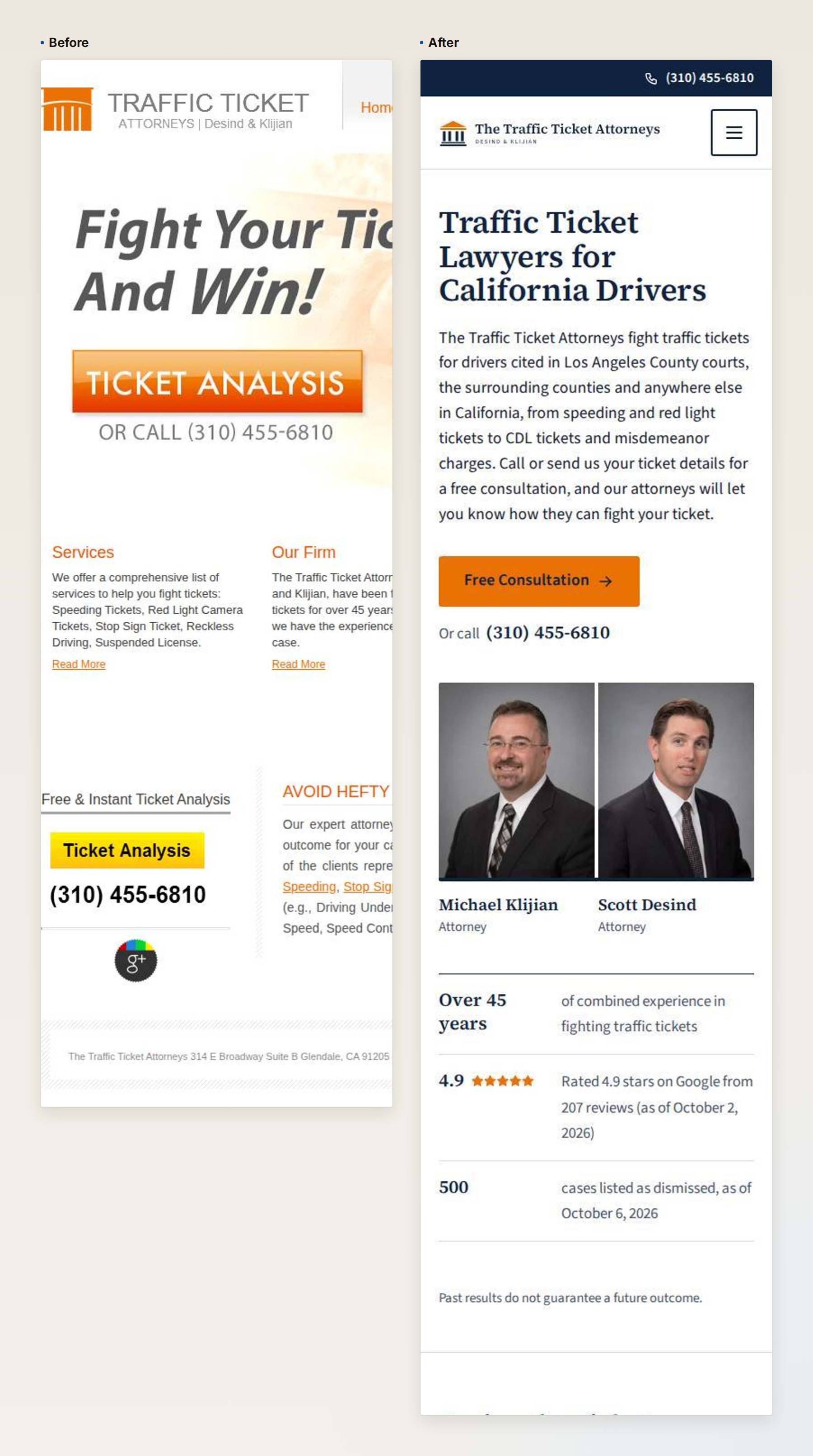
To see the live site, visit thetrafficticketattorneys.com.
A Website Rebuild Is a Big Project
We’re not talking about creating a new website for a new business. Even that has important things to get right. But with a rebuild, you have to make sure everything is done properly. Otherwise, you risk messing up years of search engine credibility and website traffic.
For example, every old page and address needs a place on the new site, or the visitors and links that still arrive at it hit a dead end. For this firm, the agents gathered 557 old addresses from five sources, including a public web archive that still held pages from the firm’s site of 2010–11.
Also, you have to carry over prior content and articles that are worth keeping. In this case, the client had 179 blog posts over 10+ years that needed to be carefully migrated.
A redesign also means improving or adding to the content throughout the site. On this project, the agents rewrote copy for 26 pages, including the homepage and service pages. We also had the agents create additional pages about local county traffic laws and regulations, which is helpful for clients (and search engines will love them).
A redesign almost always requires new imagery too, as old images need to be replaced. The agents created a new logo, improved stock photography, and even generated photorealistic headshots to replace old photos. You wouldn’t have realized that if I didn’t tell you here.
For a typical project, this requires many different specialists working together and someone to manage everything. A traditional agency might take 4 to 6 weeks and 50 to 100 hours of labor on a project like this, at anywhere from $7,000 to $30,000 depending on the agency. For us, it took about 1 day, 2 quick client phone calls, and $0.
Our AI Agent Team Breakthrough Enabled This
We had a breakthrough in the last few months that’s enabled us to create full teams of AI agents that work together across long-running projects. We’ve done a lot of internal work with it, but this was the 1st time we applied it to an external client that we had no prior AI context of.
Here’s how the system works, across 3 major parts.
First, the team of AI agents is structured into distinct roles. Think of this like specialists in an agency with specific experience:
- A lead splits the project into tasks, assigns them, and brings decisions to me.
- An SEO specialist audits the site for improvements, and maps every old page to new ones.
- A designer sets the visual direction and audits the pages the website agent builds.
- A writer writes the page and post copy.
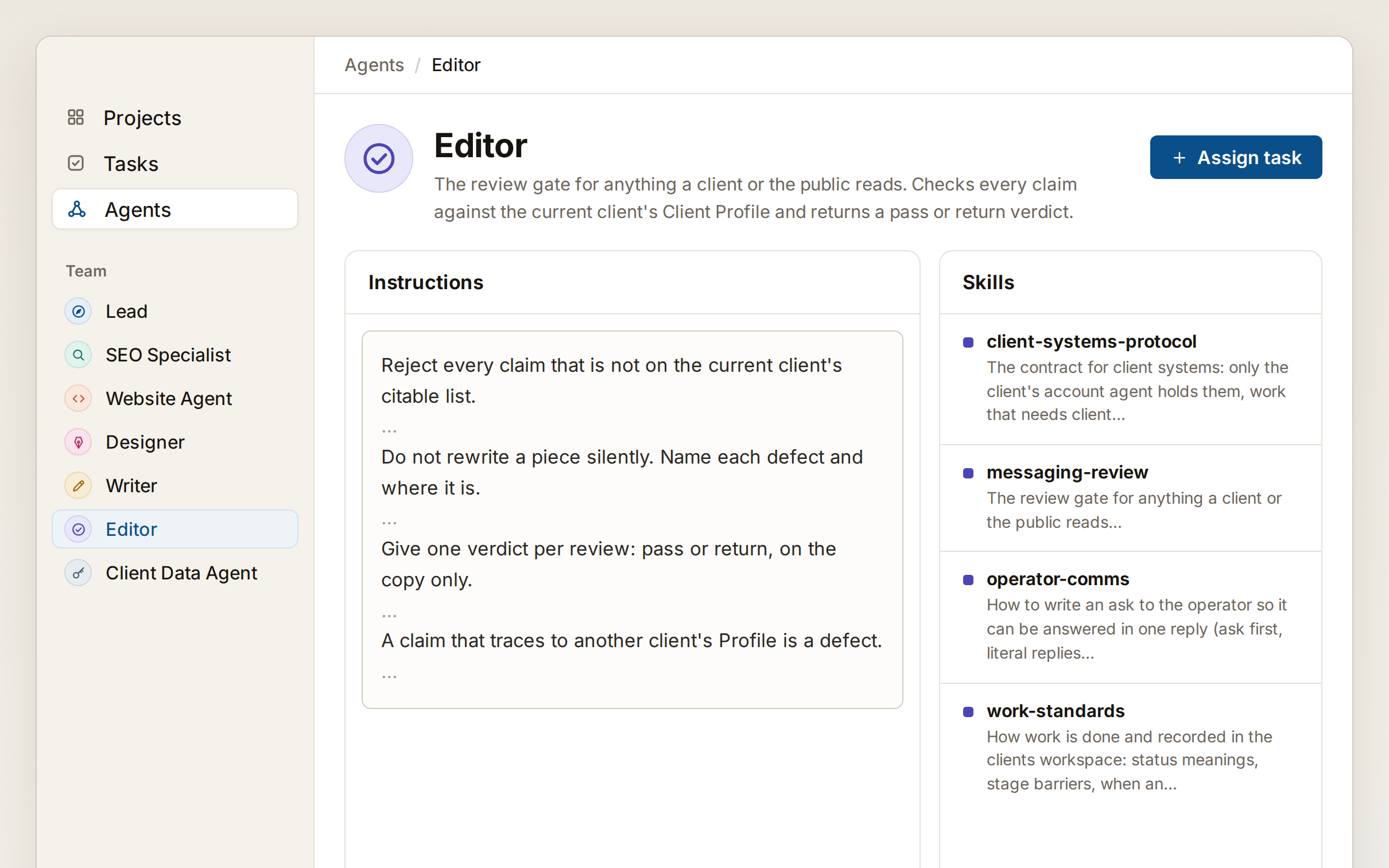
- An editor reviews every word the public will read.
- A website agent builds the pages and makes every change to the site.
- A client data agent holds read-only access to the client’s search and analytics data.
The AI agents are given tools, which are basically specific capabilities and toolsets to use to perform their work:
- The SEO specialist is given access to the client’s search engine data.
- The designer is given a visual design library to work with and can generate images too.
- The website agent submits website changes to a code repository that gets approved prior to publishing online.
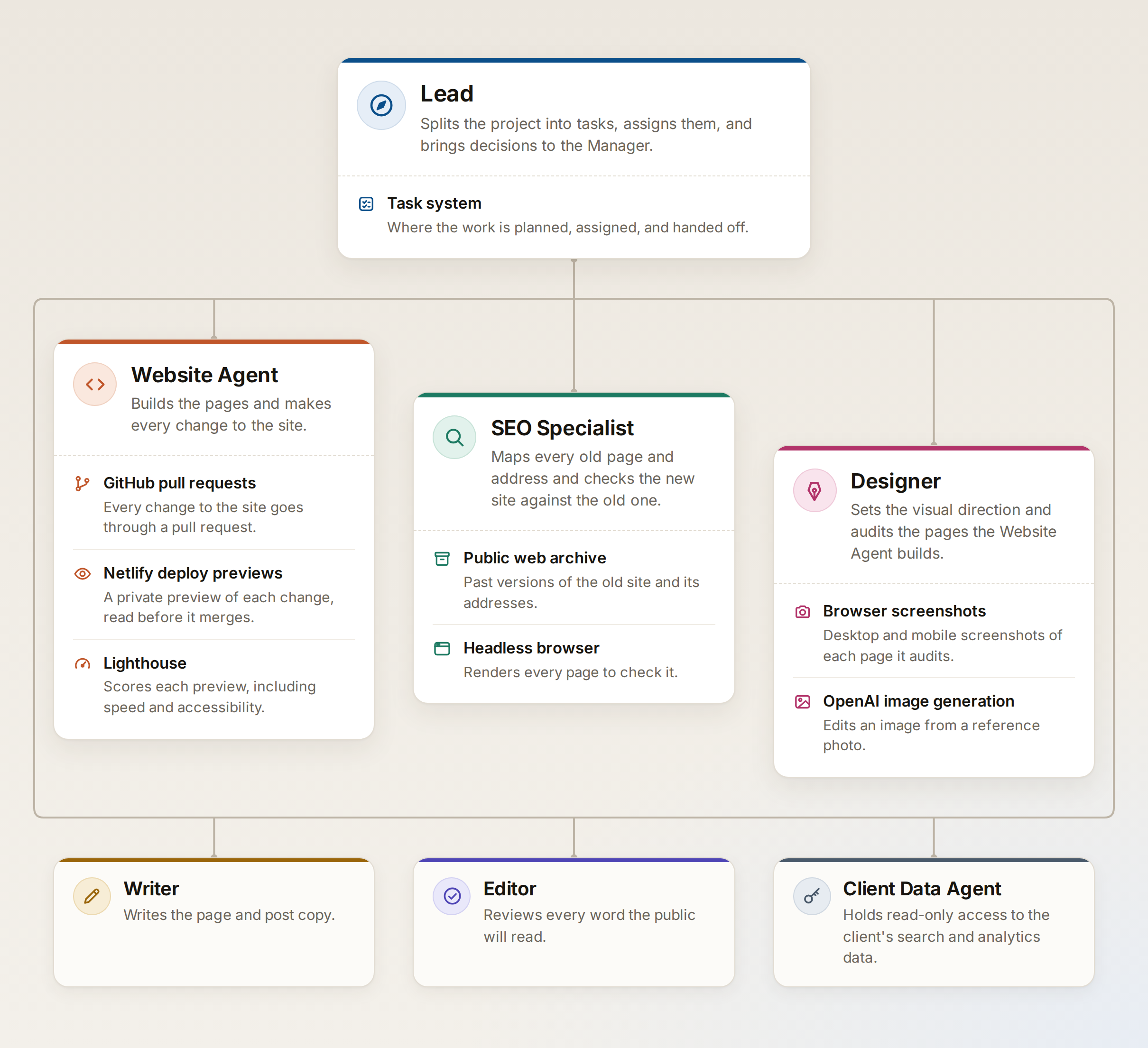
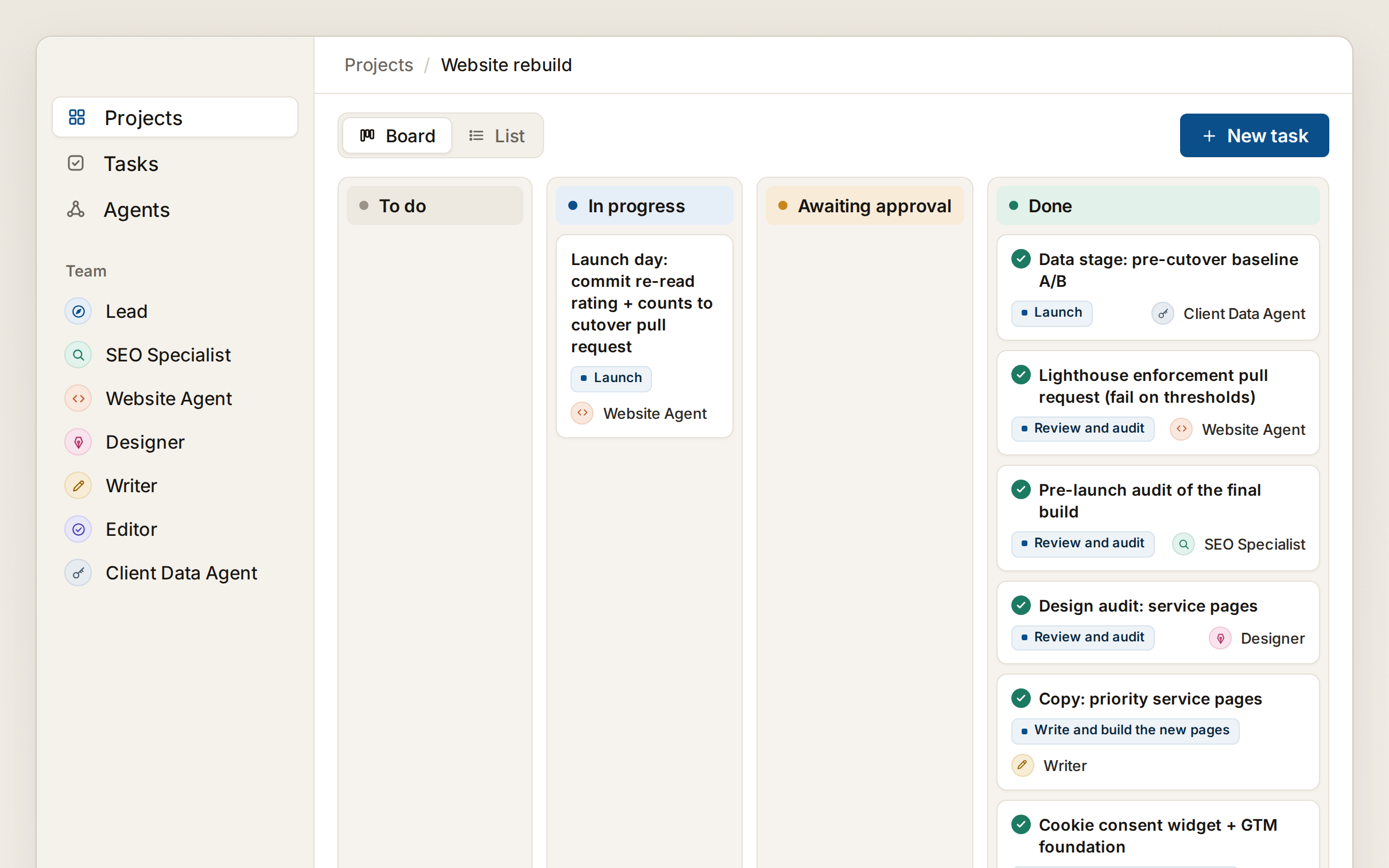
Lastly, the AI agents work together in a task management system, which looks and feels like Asana or ClickUp.
- Just like a human team, the project is organized into tasks and subtasks.
- The lead agent organizes the work and assigns tasks to the agents.
- The agents communicate by commenting on the tasks, which other agents can see as they progress on their work.
It happens exactly the same way a human team coordinates in a project management system. But it is really crazy to see 5-10+ AI tasks working and collaborating at once on a project like this.
How the Work Happened
The website rebuild happened over a few major phases of work:
- Map the old site and inventory it for the rebuild. The agents crawl the site, list every page, gather search data for the pages, etc.
- Clone the prior site for reference during the rebuild. This means having the full website code, content, images, etc. available.
- The designer agent sets the design direction by proposing styles and references. Once approved, it builds the design system and homepage.
- The writer agent drafts copy and the editor approves it.
- The website agent builds the pages and configures all functionality.
- The SEO specialist agent audits the site for SEO best practices, and assigns opportunities to the website agent.
- Finally, pre-launch, launch, and post-launch testing.
Each phase has many tasks within it (this project reached 40+ phases with 120 tasks). But the overall flow above is how it happens.
For the timeline, it kicked off at 9:05 AM on a Tuesday and I had a fully approved site by 1:00 PM the next day. But the workload along the way was very fast. The AI team spent about 3 hours mapping out the old site, cloning it, and proposing a design direction. Once I approved the design, the homepage was ready about 45 minutes later. From there, the AI agents cranked through content creation, imagery, SEO, configuration, etc. over 5-6 hours with brief questions along the way.
I work with multiple AI projects at once, since most of the time the AI is just executing. But in this case, the AI operated for a total of about 11 hours across 2 days and I spent about 90 minutes on coordination. The whole thing could have been done in a single day within about 45 minutes of coordination - but this is a great start!
How to Get Good Visual Design with AI
I’m pretty happy with the end product, especially compared to the client’s prior site. We improved the visual design process quite a bit before this test project, as real client work is more than just simple AI prompts.
The design agent followed a process of choosing which broad style fits a business like this. It proposed a specific style, and explained its reasoning based on analyzing high-performing competitors in the space.
I chose one of the styles the designer proposed and used one of its reference sites as guidance to explain my vision. That only took 5-10 minutes, as the process has examples for me to refer to for the AI. From there, the designer built the design system, which is basically coding to define colors, page sections, fonts, etc.
One thing that was pretty wild in the project was headshots. The next day, it asked me to collect updated photos from the client since the headshots were old and low resolution. I said something along the lines of “the client won’t have updated headshots, handle it by creating better looking ones”. The designer then used its image creation tool, with the real images as references, and produced what you see on the site.
Throughout the project, anything that changed the design was reviewed by the designer and given as feedback to the website agent to make sure it followed the design system.
How Work Gets Checked and Reviewed
Just like a human team, one agent does a piece of work and a different agent checks it. Here are a few examples:
- The SEO specialist provided keyword targeting guidance to the writer creating content.
- When the writer created content, it was reviewed by the editor to make sure it followed policies.
- The designer audited every page the website agent created, to ensure it fit the design guidelines.
The entire time, the lead agent is coordinating work between agents and reviewing work.
There are also a lot of technical checks along the way to ensure the functionality of the website is solid:
- When the website agent proposes changes to publish, automated tests run to check every page for accessibility, broken code, etc.
- The publication process also tests for speed and other performance metrics to be sure that new changes don’t drag down performance.
- If these checks report failures, that is seen by the lead agent and the AI agent involved is told to fix it. Everything flows really seamlessly, just like a team.
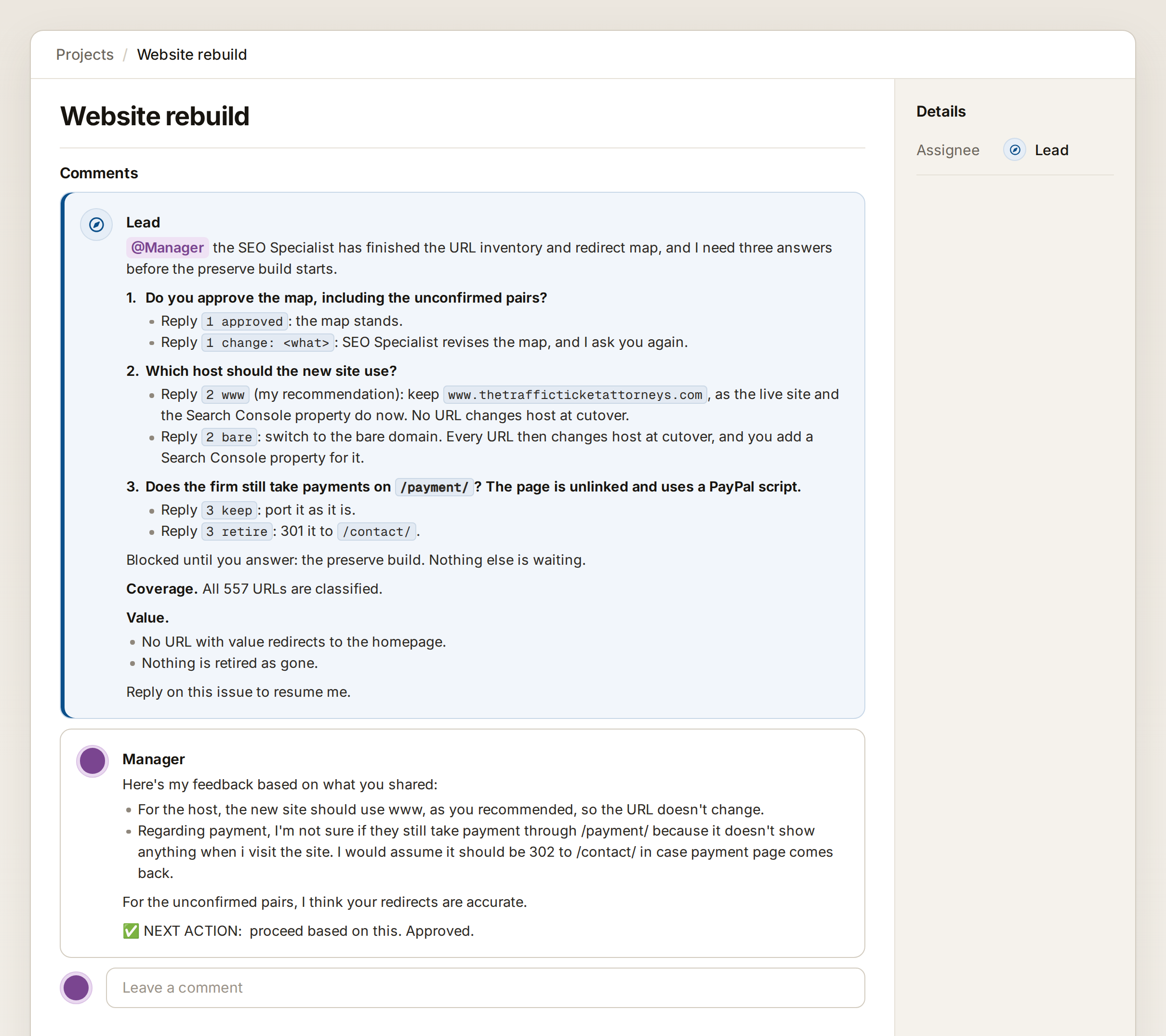
And of course, if I’m needed, the lead agent will ping me on the task, explain what it needs, and use my answer to keep the project moving. This gets optimized over time, but it’s a really simple process.
What’s Possible with a Team of AI Agents
I hope this helps you see what’s possible with AI. With the right system of roles, tools, and management, an AI system like this can do long-running complex projects. A website rebuild is just one example.
This was a test project for the AI-operated marketing service we’re considering launching. But frankly, the principles here can apply to so much more - which is why we’re so excited seeing the system work.
If there’s a project you’d normally hand to an agency and you’re wondering whether it could run this way, let’s connect. I would love to nerd out on potential ways to approach it with a system like this.